Skip to the content
Case Studies
Services
Website Design
UI Design
UX Research
App Design
Company
About Us
Career Opportunities
Contact Us
Blog
Talk to us
How to delete a WordPress theme
Deleting a WordPress theme is pretty easy, here’s how to do it:
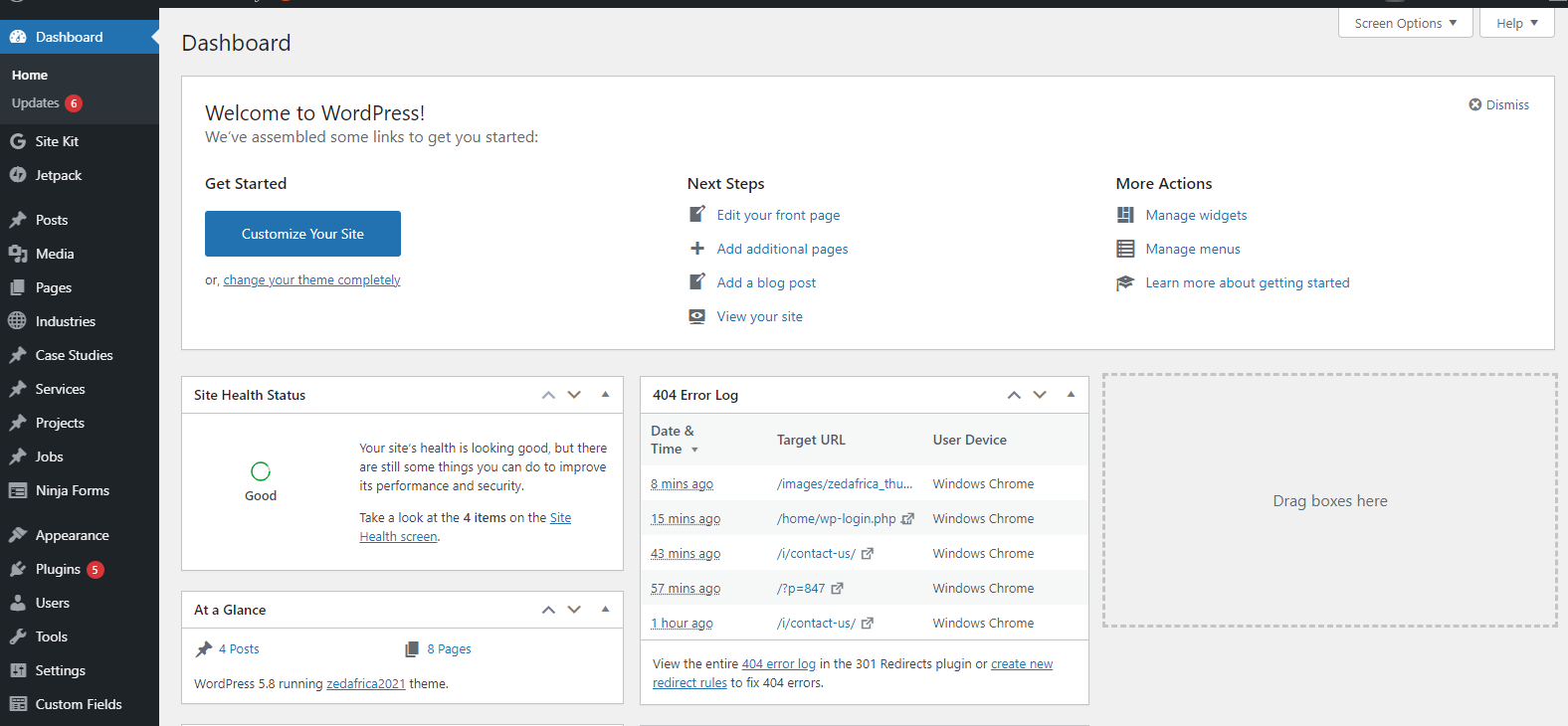
Step 1. Login to your admin Dashboard
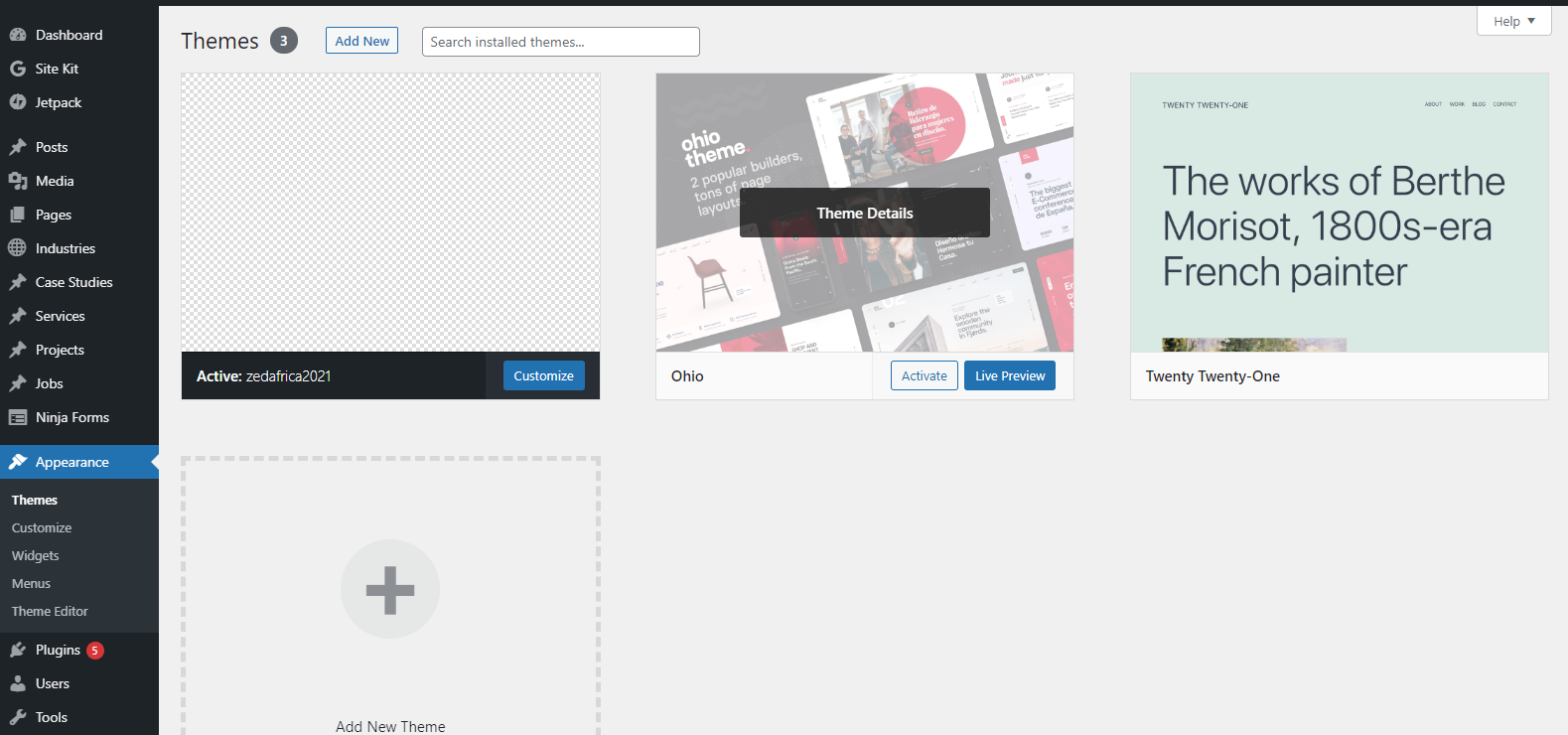
Step 2. Once logged in, on your left navigation panel, go to Appearance
Step 3. Select the Theme you want to delete and click on Theme Details, Then Delete button on the bottom right.
That’s it! As you were.
Share this:
Share on Facebook (Opens in new window)
Facebook
Share on X (Opens in new window)
X
Let's Talk
Schedule a call