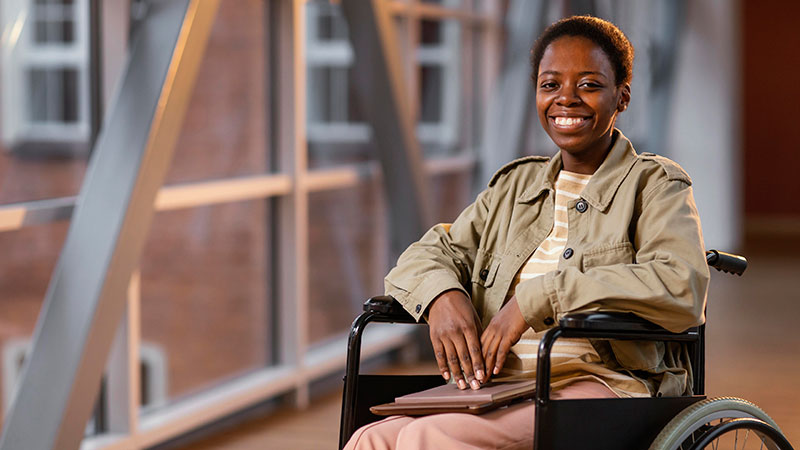
For an NGO, a website is more than a digital brochure. It may be the primary way beneficiaries find information, donors understand programmes, partners access resources, journalists find reports, and communities discover services.
If that website cannot be effectively used by someone who is blind, has low vision, is deaf or hard of hearing, has limited mobility, or has cognitive or learning difficulties, the organisation’s information and services are not equally accessible.
Website accessibility is therefore an important part of inclusive communication and digital service delivery.
For Kenyan NGOs, accessibility is also increasingly relevant from a legal and institutional perspective. Kenya’s Persons with Disabilities Act, 2025 recognises accessibility and access to information as guiding principles and addresses access to information and communication technology services.
For organisations commissioning or redesigning a website, WCAG 2.2 provides an internationally recognised technical framework for determining what an accessible website should look like.
This guide explains what Kenyan NGOs should know.
Website accessibility means designing and developing a website so that people with disabilities can perceive, understand, navigate and interact with its content and functionality.
Accessibility is relevant to people with many different types of disabilities, including:
WCAG applies to websites, web applications, multimedia, mobile web experiences and other web content.
Accessibility is not simply adding an accessibility widget to a website after it has been built.
It should be considered throughout:
Research → Information Architecture → UX → UI Design → Development → Content → Testing → Maintenance
Accessibility should be particularly important for NGOs because many organisations exist specifically to serve communities that may experience barriers to accessing information and services.
An NGO website might contain:
Making these resources inaccessible can exclude precisely the people an organisation is trying to reach.
There is also a broader legal context.
Kenya’s Persons with Disabilities Act, 2025 establishes accessibility and access to information as guiding principles and specifically addresses information and communication technology services.
For NGOs, website accessibility should therefore be treated as part of inclusive digital communication rather than simply a technical feature.
WCAG, or Web Content Accessibility Guidelines, is an international web accessibility standard developed by the World Wide Web Consortium (W3C).
WCAG 2.2 organises accessibility requirements around four principles:
Each principle contains guidelines and testable success criteria. The success criteria are divided into three conformance levels:
Level A represents the minimum level of conformance, while Level AA includes both Level A and Level AA requirements.
For most NGO website projects, WCAG 2.2 Level AA is a sensible accessibility target.
It provides a substantially more useful benchmark than simply saying that a website should be “accessible.”
Users must be able to perceive the information being presented.
This includes making content available through different sensory channels.
Examples include:
Users must be able to operate the website’s interface.
This is particularly important for people who cannot use a mouse.
An accessible website should support:
WCAG 2.2 introduced additional requirements around areas such as focus visibility, dragging alternatives, target size and accessible authentication.
Users should be able to understand both the content and how the interface works.
This includes:
For NGOs, this is especially important when communicating complex programmes, policies, research findings or application processes.
Content should work reliably across different browsers, devices and assistive technologies.
This requires proper HTML structure, semantic markup and compatibility with technologies such as screen readers.
A visually attractive interface is not necessarily a robust interface.
Images should have appropriate alternative text where the image communicates information.
For example, instead of:
IMG_3928.jpg
an image showing a community health training session might have:
Community health workers participating in a training session in Kisumu.
However, not every image needs descriptive alt text.
A decorative background image may appropriately have empty alternative text so that assistive technology does not unnecessarily announce it.
The objective is not to describe every pixel. It is to communicate the information that matters.
Website content should have a logical heading hierarchy.
For example:
H1: Website Accessibility for Kenyan NGOs
H2: Why Website Accessibility Matters
H2: WCAG 2.2 Standards
H3: Keyboard Navigation
H3: Colour Contrast
H2: Accessibility Checklist
Headings help users understand the structure of a page and are particularly important for people navigating with assistive technologies.
Do not choose heading levels simply because a particular heading style looks attractive.
A user should be able to navigate the essential functionality of the website without using a mouse.
Test whether someone can:
A common accessibility failure is creating a beautiful interface that works with a mouse but becomes difficult or impossible to use with a keyboard.
When someone navigates with a keyboard, they need to know which element currently has focus.
Do not remove the browser’s focus indicator simply because it does not fit the visual design.
Instead, design a clear focus state that fits the site’s visual system while remaining sufficiently distinguishable.
WCAG 2.2 added specific requirements concerning focus visibility and focus appearance.
Text should have sufficient contrast against its background.
This matters particularly for users with low vision or colour vision deficiencies.
Common NGO website problems include:
Colour can be part of the visual language, but it should not be the only way information is communicated.
For example, instead of saying:
Red items require attention.
use an additional indicator such as an icon, label or text.
Forms are often among the most important components of an NGO website.
Examples include:
Each important form field should have an understandable label.
Error messages should explain:
What went wrong + what the user needs to do
For example:
Enter a valid email address.
is much more useful than:
Invalid input.
Forms should also avoid unnecessary complexity.
This is particularly important for NGOs.
Many NGO websites contain large libraries of:
Making the HTML website accessible while uploading inaccessible PDFs undermines much of the accessibility work.
Where PDFs are provided, consider:
For particularly important information, consider providing an accessible HTML version alongside the PDF.
Video is increasingly important for NGO communications.
Videos may contain:
Important videos should have captions.
Where appropriate, provide transcripts as well.
Captions help deaf and hard-of-hearing users, but they also benefit people watching without sound, people in noisy environments and users who speak a different first language.
Accessibility cannot be treated as a desktop-only issue.
Many NGO audiences access websites through smartphones.
WCAG 2.2 addresses web content across desktops, laptops, tablets and mobile devices.
Test:
An interface that technically works on a desktop can still be frustrating on a mobile device.
Some organisations install an accessibility widget and assume the website is now accessible.
That is not a substitute for accessible design and development.
Accessibility needs to exist in the underlying:
An accessibility tool may provide useful functionality for some users, but it cannot automatically repair every accessibility problem in a website.
Accessibility is not exclusively a coding problem.
Content matters.
NGOs frequently publish complex material involving:
Where possible, provide clear explanations for general audiences.
Consider:
Instead of:
Click here
use:
Download the 2026 annual report
The second link communicates its purpose without requiring surrounding context.
Link text should tell users where the link leads.
Avoid:
Read more
Click here
Learn more
where the destination is unclear.
Prefer:
Read the 2026 annual impact report
View our education programme
Contact the Nairobi office
This is useful for everyone, but particularly for people using screen readers who may navigate by extracting links from the page.
NGOs often use charts to communicate:
A chart should not be the only way critical information is communicated.
Consider providing:
For example, instead of presenting only a pie chart showing programme expenditure, provide the underlying figures in accessible text or a table.
Maps are frequently used by NGOs working across counties and regions.
However, an interactive map can be difficult for some users to navigate.
If a map communicates important information, provide an alternative such as:
The map can remain an excellent visualisation while the alternative ensures the information is not locked inside the visual interface.
Accessibility in Kenya also intersects with practical digital conditions.
A website may technically meet many accessibility requirements but still provide a poor experience if it requires:
For an NGO serving users across Kenya, performance should therefore be considered alongside accessibility.
Fast, lightweight websites are generally better for users with limited connectivity, older devices and constrained data budgets.
Accessibility should not be added during final QA.
It should influence the design from the beginning.
During UX research, an NGO and its digital agency should consider:
Where practical, organisations should include people with disabilities in usability testing.
This is particularly valuable because automated accessibility tools cannot tell you everything about the real experience of using a website.
Accessibility testing should use both.
A website should not be declared accessible simply because it passed an automated accessibility scanner.
Where possible, accessibility testing should include actual assistive technology.
Examples include:
Testing with real users with disabilities can provide even more valuable insight.
The goal should be to identify barriers before the website reaches the public.
If you are commissioning a new NGO website, accessibility should appear in the procurement documents.
Do not simply write:
“The website should be accessible.”
Be more specific.
Your RFP or ToR can request:
You can also ask prospective agencies to explain how they will test accessibility, rather than simply asking them to claim that the finished website will be accessible.
For organisations preparing procurement documents, see our guide on how to write an RFP for website development services.
Accessibility requirements should also make their way into the website development contract.
The contract can define:
This is much better than discovering at launch that the client and agency had completely different interpretations of “accessible.”
See our guide to a website development contract checklist for Kenyan NGOs for other issues that should be addressed before signing.
Accessibility can also be relevant to donor-funded communications and development programmes.
A project website may be communicating information to a wide public audience, including people with disabilities.
When creating project pages, reports and digital resources, consider accessibility alongside:
Our guide to NGO donor branding guidelines covers donor visibility and branding considerations.
For organisations publishing project results, see how to showcase donor-funded impact on your NGO website.
Accessibility and privacy sometimes intersect.
For example, an NGO may use:
Organisations should understand what personal information these tools collect and how it is processed.
Accessibility should not become an excuse for unnecessarily collecting personal information.
Our guide to Data Privacy for Kenyan NGO Websites covers the wider data protection issues Kenyan NGOs should consider.
Before launching a website, check the following.
A website does not remain accessible automatically after launch.
NGOs continuously add:
A website can therefore become less accessible over time even if the original development work was strong.
Content teams should receive guidance on:
Accessibility should become part of the organisation’s digital publishing process.
Accessibility does not necessarily require a separate “accessibility website.”
It is most effective when accessibility is incorporated into the normal design and development process.
The cost can increase when an organisation needs:
For broader budgeting guidance, see our article on NGO website development costs in Kenya.
If your current website has significant accessibility problems, a redesign may be more effective than attempting to patch every issue individually.
Consider a proper accessibility audit first.
Look at:
Sometimes the underlying architecture makes accessibility improvements difficult.
In other cases, relatively small design and content changes can make a substantial difference.
The correct approach depends on the website’s current condition.
When evaluating agencies, ask specific questions about accessibility.
For example:
Do not evaluate agencies solely on visual design.
A website can look excellent in a design presentation while being extremely difficult for some people to use.
Our guide on what to look for in a web design agency for your NGO provides a broader agency evaluation framework.
You may also find our guide on questions to ask a web design agency before you sign useful during procurement.
Accessibility also affects the decision about who should manage your website project.
An in-house team may already understand:
An experienced agency may bring specialised expertise in:
A hybrid model can work well, with the NGO providing organisational and user knowledge while the agency provides specialist digital expertise.
See our guide to in-house vs agency for an NGO website.
Accessibility should not necessarily add a separate phase to the project.
It should be incorporated throughout:
Discovery → UX research → Information architecture → Wireframes → UI design → Development → Content migration → Testing → Launch
The more complex the website, the more accessibility testing and remediation may be required.
For planning purposes, see our guide on how long an NGO website redesign takes.
Website accessibility should not be treated as an optional technical enhancement.
For Kenyan NGOs, it is closely connected to the fundamental purpose of digital communication: making information, services, programmes and opportunities available to the people the organisation exists to serve.
Kenya’s Persons with Disabilities Act, 2025 provides an important national context by recognising accessibility and access to information and requiring public and private institutions to provide information intended for the general public, including through the internet, in accessible formats and technologies appropriate to different disabilities.
WCAG 2.2 provides a practical international framework for translating that principle into website design and development requirements.
The strongest approach is to build accessibility into the project from the beginning rather than attempting to fix it after launch.
For an NGO planning a new website or redesign, that means considering accessibility during procurement, UX research, content planning, visual design, development and testing.
At Zedafrica, we approach NGO websites as digital products rather than simply brochure websites. Our work includes UX research, UI design and website development for organisations working across the development sector.
If your organisation is planning a new NGO website or redesign, you can schedule a consultation with Zedafrica.